You should not find out how the year went in April.
Money comes in by card, check, and cash. Retainers land months before the shoot. Refunds happen. By tax season the honest answer to “how much do I owe?” is a shrug and a shoebox of receipts. Vignette keeps a live, connected picture of your studio’s money—so every decision comes with context.
02 · SEE IT WORKING
Know your numbers without becoming an accountant.
Every figure comes from the payments recorded on your bookings, so the view tells the truth about what came in, what is coming, and what to set aside.
01 · IN THE APP
Cash flow you can actually see
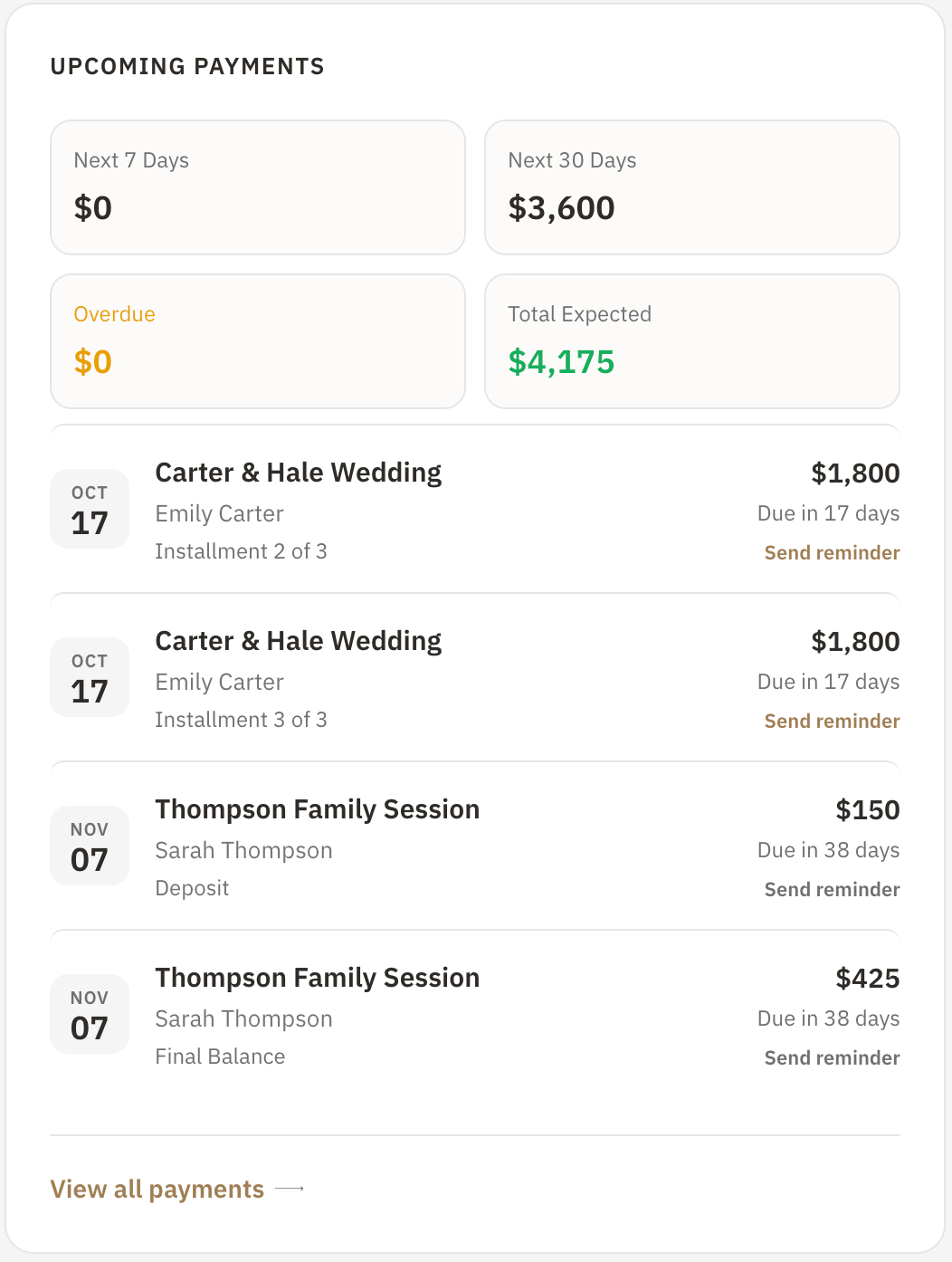
The next 7 and 30 days of expected payments, anything overdue, and the total still coming—with a reminder link beside every installment.
Upcoming, overdue, and total expected payments
Send a reminder straight from the list
Revenue over time by 7 days, 30 days, 3 months, YTD, or 1 year
Finance · Upcoming payments
02 · IN THE APP
Tax season, handled early
Vignette estimates self-employment, federal, and state set-asides from your tracked business activity, keeps a tax-season checklist, and exports an annual planning packet for you and your accountant.
Suggested and remaining tax set-aside
Tax-season checklist with progress
Revenue breakdown by category or session type
Finance · Tax planning
03 · IN THE APP
Every dollar tied to a client
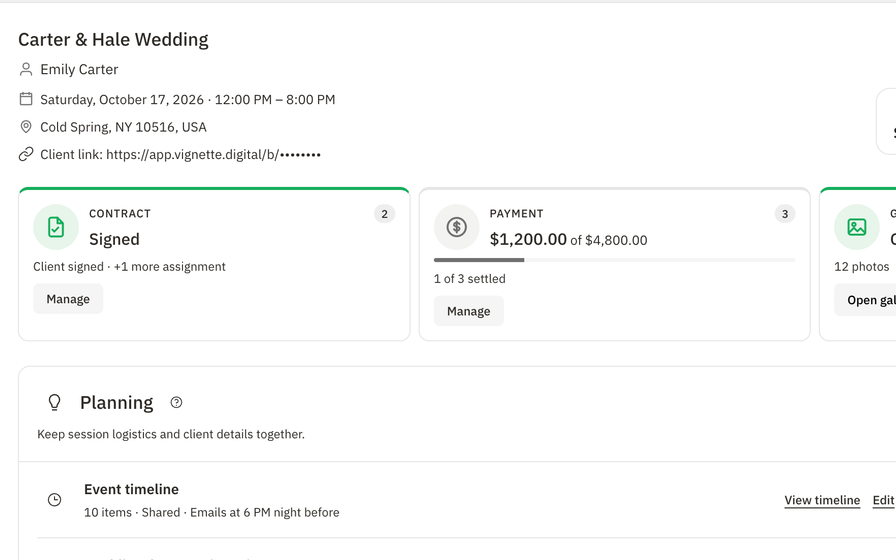
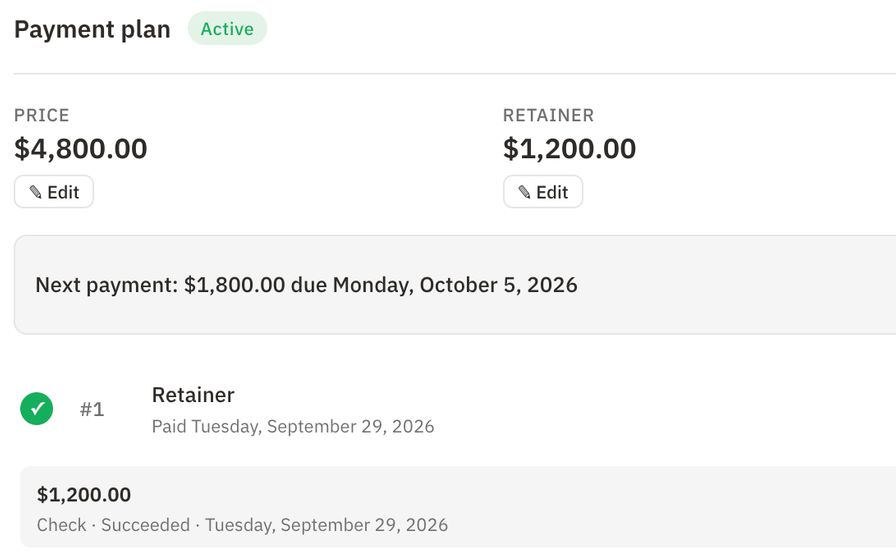
Payments are recorded on the booking they belong to—cards through Stripe, checks and cash as manual records—so revenue, refunds, and balances stay accurate down to the client.
Stripe card payments with no Vignette platform fee
Manual payments, waivers, and refunds
Payouts with arrival timelines
Booking · Payment plan
Run the studio like the business it is.
Connect Stripe, send your next payment plan, and watch the finance view fill in from real bookings. Walk into tax season with a number, not a shoebox.
Accept eligible card payments through Stripe and record checks, cash, and other payments on the same plan.
02 · TRACK
Watch cash flow in one view.
See revenue, upcoming and overdue payments, refunds, and payouts without building a spreadsheet.
03 · PLAN
Set aside for taxes as you go.
Review the running set-aside estimate, add expenses and outside income, and adjust the assumptions to fit your studio.
04 · EXPORT
Hand your accountant a clean packet.
Download the annual CSV planning packet when it is time to file with a professional.
04 · WHAT IS INCLUDED
What Vignette studio finances include
Vignette gives photographers a finance view built from real booking payments—not package prices or guesswork. See revenue over time, upcoming and overdue payments, payouts, revenue by category, and a running tax set-aside estimate, all connected to the clients and bookings behind the numbers.
✓Revenue over time from 7 days to 1 year
✓Upcoming, overdue, and expected payments
✓Revenue breakdown by category or session type
✓Payments table with receipts
✓Payouts with arrival timelines
✓Team earnings for contractors
✓Self-employment, federal, and state set-aside estimates
✓Tax-season checklist
✓Annual tax planning CSV packet
✓Paid, outstanding, and next payment for each client
05 · THE HONEST FIT
Choose the fit. Not the pitch.
VIGNETTE MAKES SENSE FOR
Solo photographers who want to know their numbers without a separate bookkeeping app
Studios juggling retainers, installments, and off-platform payments
Photographers who want tax season to start with a download, not a dig
LOOK CLOSELY IF YOU NEED
Businesses that need double-entry accounting or payroll
Anyone who needs a filing-ready return or professional tax advice
What Vignette does not pretend
Finance and tax views are planning tools—not tax advice, a filing-ready return, or a complete accounting system.
Set-aside estimates use your studio location and simple rate assumptions that you should review.
Standard Stripe processing fees apply to online card payments.
No. Vignette adds no platform fee to client or contractor payments. Standard Stripe processing fees apply to online card payments.
Where do the finance numbers come from?
From real payment records on your bookings, not package prices, so revenue reflects money that actually moved—including manual payments and refunds.
Can Vignette help me prepare for taxes?
Vignette estimates a tax set-aside, keeps a tax-season checklist, and exports an annual CSV planning packet. It is a planning tool, not tax advice or a filing-ready return.
Can I record cash or check payments?
Yes. You can record off-platform payments on a booking’s payment plan so balances and finance totals stay accurate.
How much does Vignette cost?
Every plan includes every feature. Capture is $35 per month with 250 GB of storage, and Focus is $50 per month with 1 TB. While the limited Unlimited offer lasts, you can get unlimited storage for $35 per month.
Do I need a credit card to start the free trial?
No. The 30-day free trial includes every feature and does not require a credit card to start.
Can I bring my existing clients with me?
Yes. Import contacts from a CSV or JSON file. Vignette previews the import and flags likely duplicates before anything is created.
07 · ALL CONNECTED
It all works together.
Every feature shares the same client, booking, and money—so nothing gets copied twice. Your subscription includes all of it.