The shoot starts long before you pick up the camera.
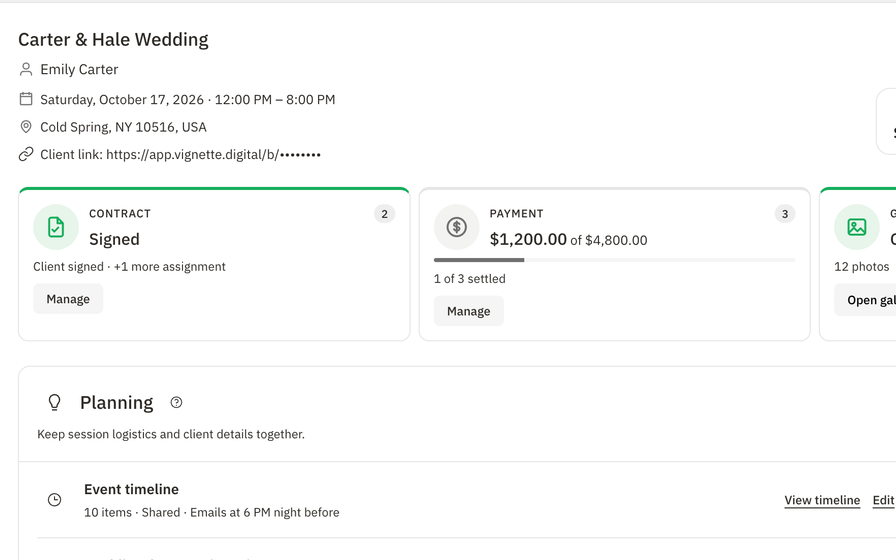
Where are they getting ready? When does the ceremony start? Who is wrangling the family formals? When those answers live in a text thread from three months ago, shoot day turns into a scramble. Vignette turns planning into one shared plan that you, your client, and your crew can all see.
02 · SEE IT WORKING
Plan it once. Share it everywhere.
Timelines, questionnaires, and light planning live on the booking—so the plan, the people, and the details never drift apart.
01 · IN THE APP
Know exactly when to leave
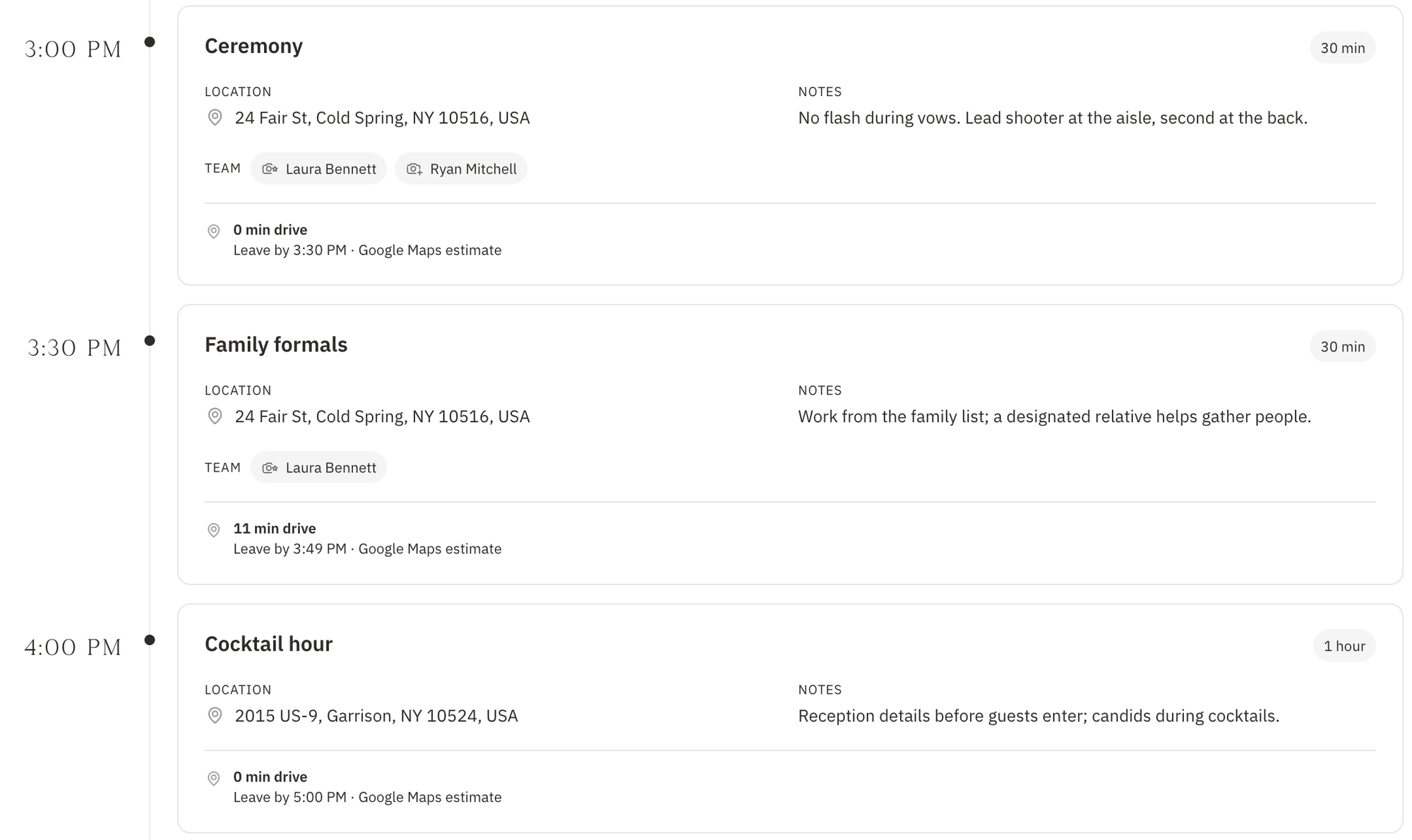
Give each moment a real address and Vignette works out the drive between them—church to park, park to venue—with a “leave by” time for you and your crew. No more guessing whether portraits at the gardens will make you late for the ceremony.
Estimated drive time between verified addresses
A leave-by time for every move
Team assignments on every moment
Timeline · Travel
02 · IN THE APP
A run sheet everyone can open
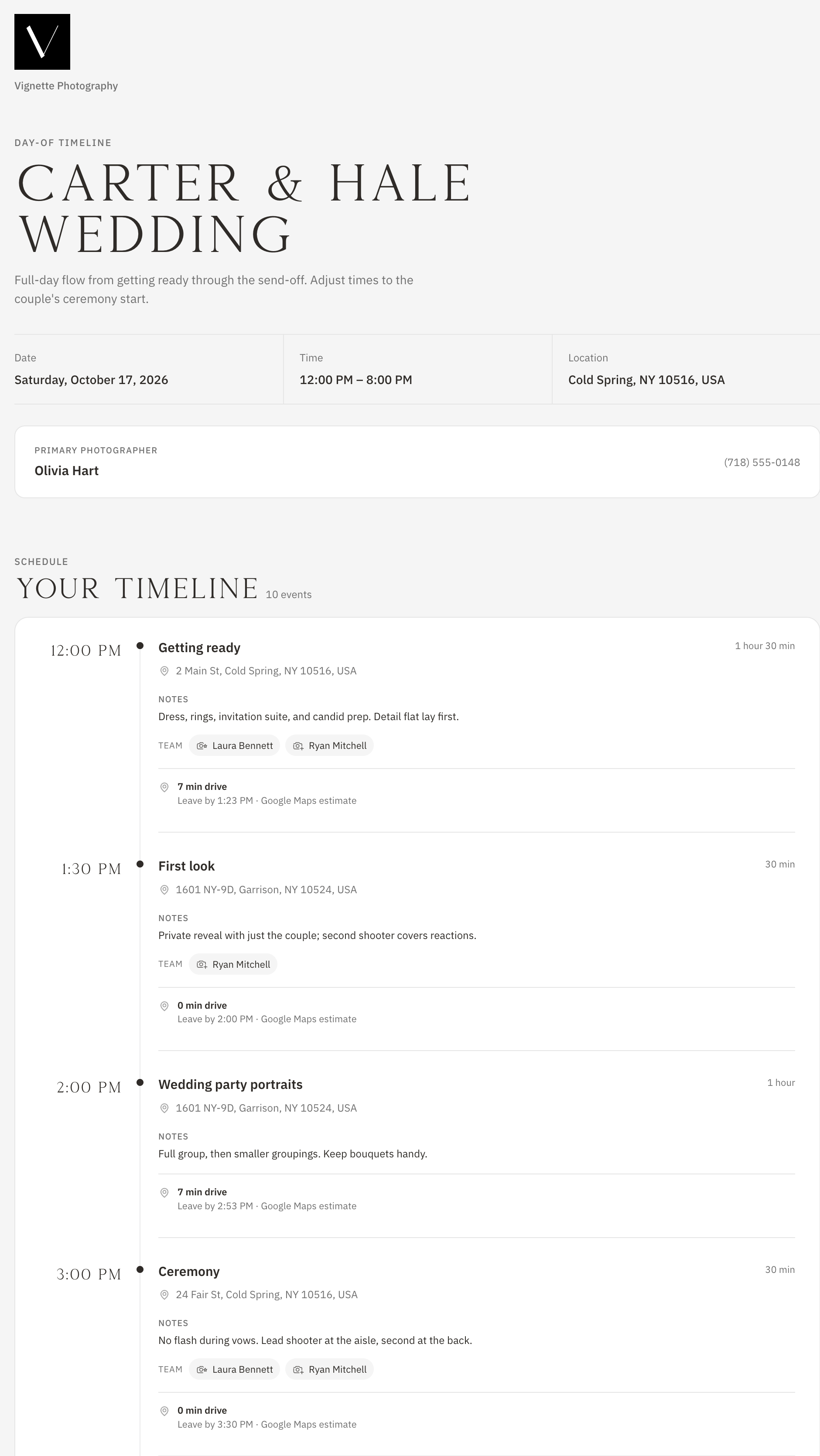
Share the timeline and Vignette creates a mobile-friendly day-of run sheet for your client, family, crew, and venue. The night before, it is emailed to your client and active team automatically.
Public run sheet page with a copyable link
Emailed at 6 PM in the event’s time zone the night before
Stop sharing anytime; sharing again restores the same link
Day-of run sheet
03 · IN THE APP
Questions answered before they become problems
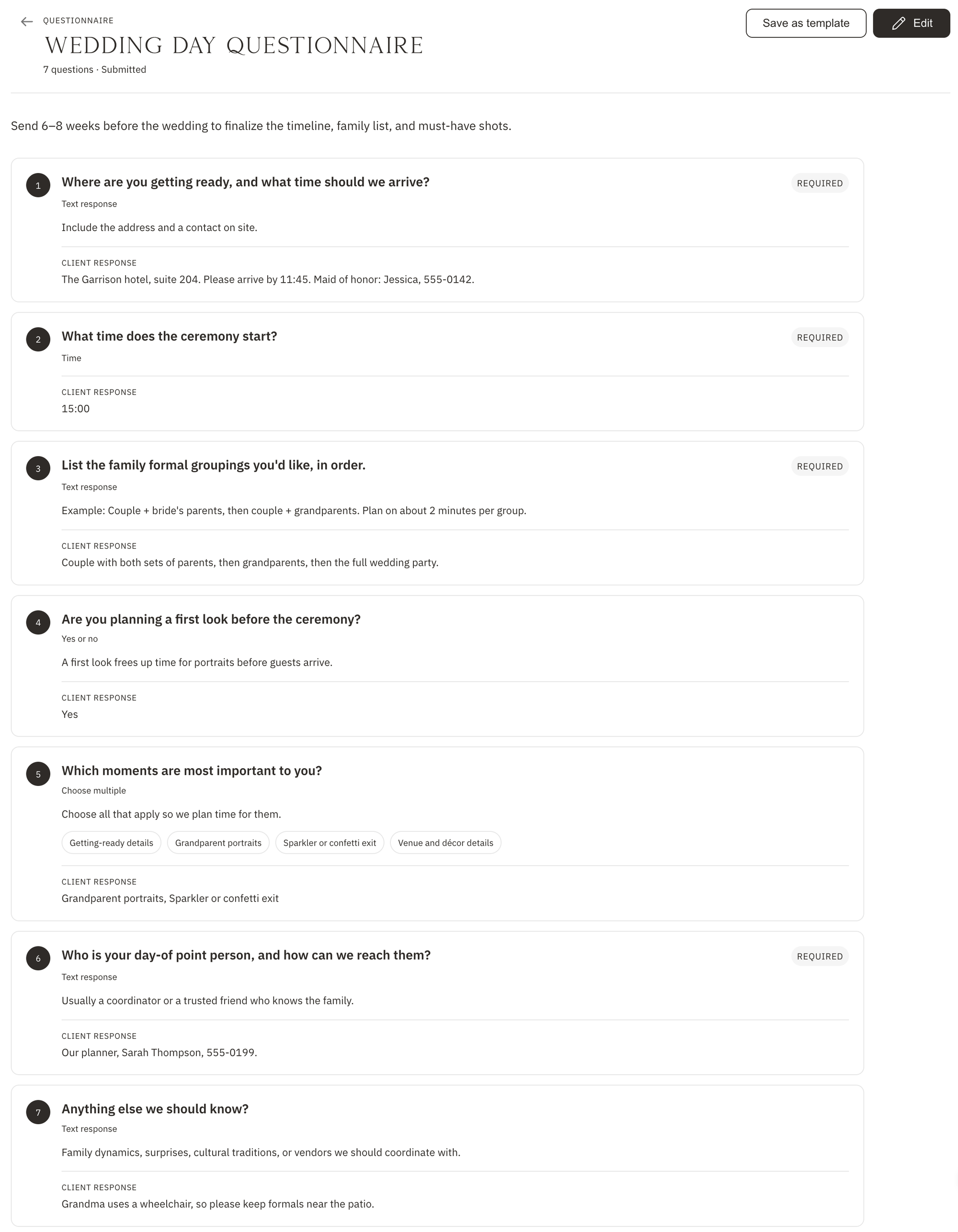
Send a branded planning questionnaire and get the answers right on the booking—addresses, family groupings, must-have moments, and the one detail that changes everything.
Text, yes-or-no, choose one, choose multiple, date, and time
Required questions and helper text
Shows up as a task on the client’s booking page
Booking · Questionnaire
04 · IN THE APP
Every session planned around the light
Sun Tracker counts down to golden hour for your studio or any location and date. The seven-day calendar shades golden hour so you schedule the glow on purpose, not by luck.
Morning and evening golden hour, sunrise, and sunset
Check any address, ZIP code, or date
Golden-hour bands on the 7-day calendar
Calendar · 7 days
Make shoot day the easy part.
Build your first timeline from a template, send the questionnaire, and share the run sheet—all from the booking. Your crew shows up knowing the plan, and so do you.
Build reusable timelines with times, durations, locations, notes, and client visibility for each moment.
02 · ASK
Send the questionnaire.
Collect addresses, contacts, family groupings, and must-have moments in a branded form attached to the booking.
03 · ASSIGN
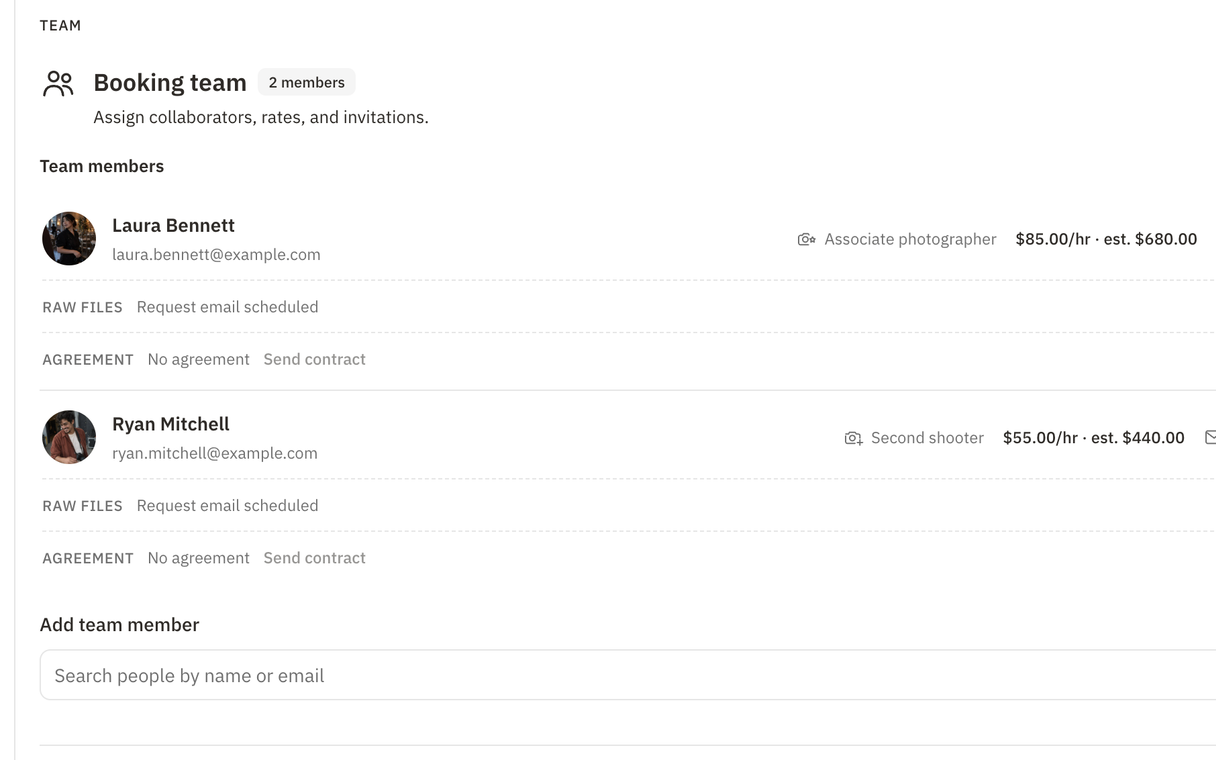
Put the right shooter on every moment.
Assign team members to events and see estimated drive time between locations with verified addresses.
04 · SHARE
Hand everyone the same plan.
Share the run sheet with your client and crew. It goes out automatically the night before.
04 · WHAT IS INCLUDED
What Vignette shoot planning includes
Vignette is shoot-planning software for photographers. Build a reusable event timeline, put your team on every moment, share a day-of run sheet with clients and crew, collect answers through planning questionnaires, and schedule around sunrise, sunset, and golden hour.
✓Reusable event timeline templates
✓Parallel events and custom ordering
✓Estimated drive time between locations
✓Team assignments on each event
✓Shareable mobile day-of run sheet
✓Automatic run sheet email the night before
✓Questionnaires with six response types
✓Questionnaire templates and client tasks
✓Sun Tracker with a golden-hour countdown
✓Golden-hour shading on the 7-day calendar
05 · THE HONEST FIT
Choose the fit. Not the pitch.
VIGNETTE MAKES SENSE FOR
Wedding and event photographers running full-day timelines
Studios coordinating second shooters and assistants on the day
Location photographers who plan around natural light
LOOK CLOSELY IF YOU NEED
Planners who need a full event-planning suite for vendors and guest lists
Teams that need live location tracking on the day
What Vignette does not pretend
Travel guidance needs recognized addresses; freeform labels such as “bride’s house” are skipped.
Light times are planning guidance based on the verified studio or chosen location.
Editing a timeline template does not change timelines already added to bookings.
A timeline can be shared once the booking has been sent and has an active client link.
Can I share a wedding-day timeline with my client?
Yes. Sharing a booking timeline creates a mobile-friendly day-of run sheet with a link you can send to the client, family, crew, or venue. You can stop sharing at any time.
Does Vignette send the timeline automatically?
Yes. A shared run sheet is emailed to the client and active team at 6:00 PM in the event’s time zone the night before, and linked team accounts get an in-app reminder.
What can a planning questionnaire ask?
Questions can take text, yes-or-no, choose one, choose multiple, date, or time answers, with optional required flags and helper text. The questionnaire appears as a task on the client’s booking page.
How does golden-hour planning work?
Vignette shows morning and evening golden hour, sunrise, and sunset for the verified studio location, or for any address and date you check in Sun Tracker. The seven-day calendar shades golden hour as well.
How much does Vignette cost?
Every plan includes every feature. Capture is $35 per month with 250 GB of storage, and Focus is $50 per month with 1 TB. While the limited Unlimited offer lasts, you can get unlimited storage for $35 per month.
Do I need a credit card to start the free trial?
No. The 30-day free trial includes every feature and does not require a credit card to start.
Can I bring my existing clients with me?
Yes. Import contacts from a CSV or JSON file. Vignette previews the import and flags likely duplicates before anything is created.
07 · ALL CONNECTED
It all works together.
Every feature shares the same client, booking, and money—so nothing gets copied twice. Your subscription includes all of it.